Add a claim
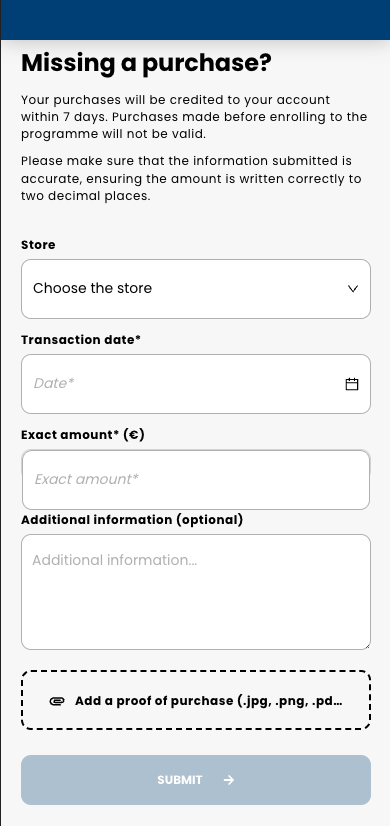
If a transaction was not taken into account by our system, the member can file a claim by filling out a form in their member area. This form contains information about the purchase, including an attachment to provide the receipt as proof of purchase.
The claim is then reviewed by the Spaycial team.
- If the claim is relevant, it is validated: you get a "validated" notification via the claim_update webhook, and the purchase is sent in the next customer_transactions webhook notification.
- If the claim is not relevant, it is rejected: you get a "rejected" notification via the claim_update webhook.
URL access
Link: https://your-loyalty-domain.com/claims?t=[the_jwt_token_for]&cb=[your_callback_url]
your_callback_url- the URL to redirect the member to once they have filed the claim.